Team Win Recovery Project (TWRP; pronounced /ˈtwɜːrp/ “twerp”[7]) is an open-source recovery image for Android-based devices.[8][9] It provides a touchscreen-enabled interface that allows users to install third-party firmware and back up the current system, functions usually not supported by stock recovery images.[9][10][11][12] It is, therefore, often installed when flashing, installing, or rooting Android devices,[13] although it does not require a device to be rooted before installation.
Functions
Since February 2016, the first three digits of the version number specify the version, and the fourth digit, separated from the others by a dash, specifies an update for a specific device. This could be a performance improvement, hotfix, bugfix, or just simply an update for a device.
The main method of installing (“flashing“) this custom recovery on an Android device requires downloading a version made specifically for the device, and then using a tool such as Fastboot or Odin. Some custom ROMs come with TWRP as the default recovery image.
TWRP gives users the option to backup their device, either in full or in part. This means that users can backup their system and data (user data) (giving users a backup of all support files and apps installed to those partitions), boot and recovery (which is beneficial for those users who change kernel or recovery versions, as well as those who root their device using Magisk), cache, and internal storage partition. These partitions can also be restored, giving users the ability to go back to what they backed up, and wiped/erased. It also has a built-in file manager so that users can engage in file maintenance without actually booting into their device’s system, and a built in terminal emulator. TWRP also supports file transfer via MTP, and ADB sideloading. TWRP is also fully themeable.
While TWRP has always supported the installation of custom ROMs (i.e. custom operating systems such as LineageOS, or the latest Android release), kernels, add-ons (Google Apps, themes, etc.), and other various mods, TWRP has expanded its support to installing Magisk.
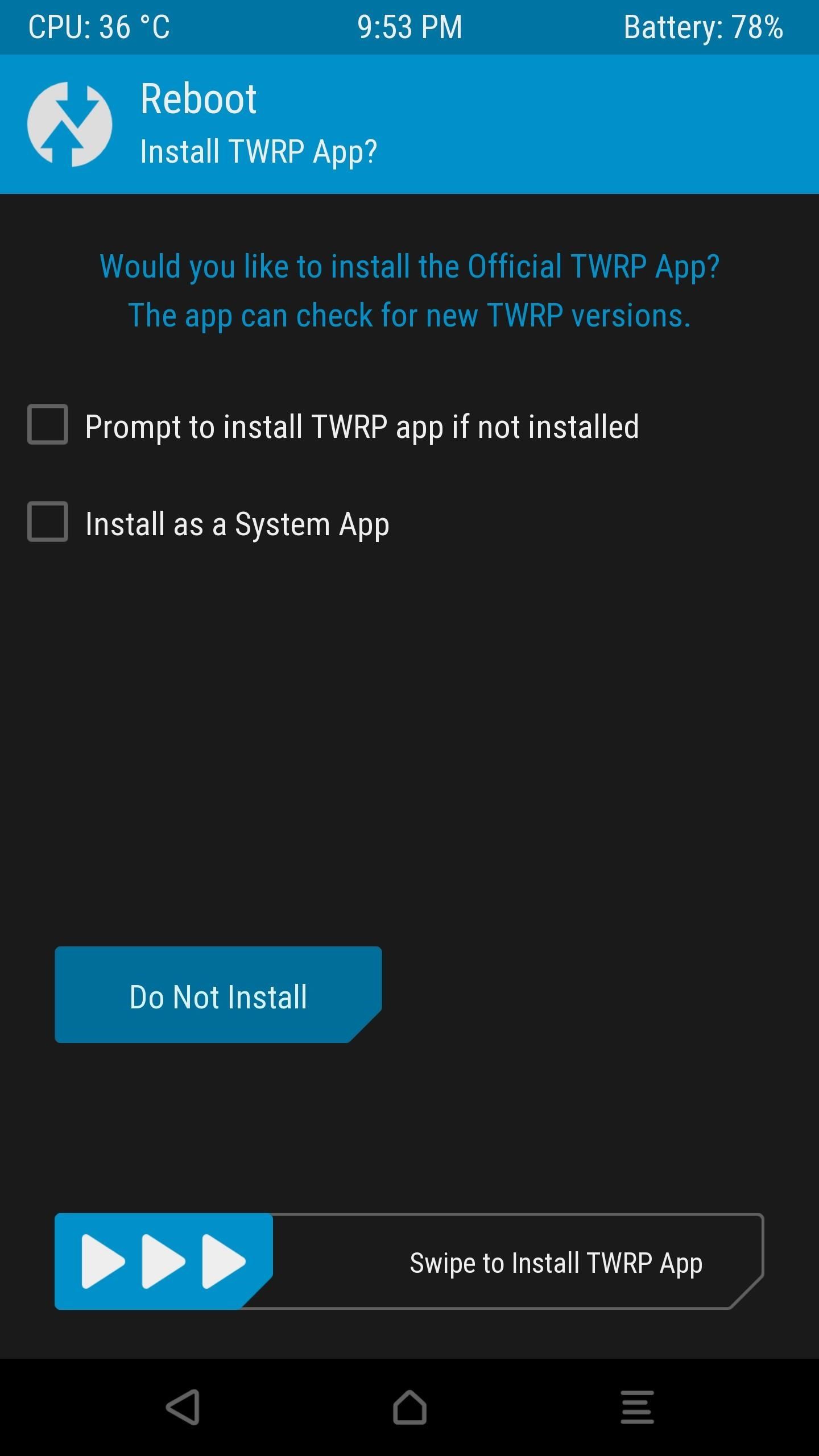
In January 2017, the TWRP team released an Android application[14] that allows flashing the recovery using root access. However, unlike the recovery, the app is not open source, although free of charge. This app is also shipped via the official TWRP images to rooted and non-rooted devices. It is installed in the system partition, making it a system-level app by default, so that it cannot be uninstalled from within Android without root access.[15] However, TWRP now provides the user the freedom of choice for having the app. [16]
See also

- ClockworkMod Recovery – a past alternative to TWRP custom recovery.
References
- ^ “TWRP 1.x”. TeamWin. Archived from the original on 28 May 2014. Retrieved 20 April 2014.
- ^ https://github.com/TeamWin/android_bootable_recovery See variables.h for version.
- ^ “TWRP 3.7.1 Released”. TeamWin. Retrieved 17 June 2026. Release publications added upon each revision released.
- ^ https://github.com/TeamWin/android_bootable_recovery/tree/android-12.1/gui/theme/common/languages
- ^ https://github.com/TeamWin/android_bootable_recovery/tree/android-12.1/gui/theme/extra-languages/languages
- ^ TeamWin/android_bootable_recovery, TeamWin, 18 March 2023, retrieved 20 March 2023
- ^ “TeamWin demos TWRP 2.0 recovery manager for Android, scoffs at your volume rocker (video)”. Engadget. Retrieved 19 September 2021.
- ^ “TWRP”. TeamWin. Retrieved 7 February 2016.
- ^ a b Haroon Q Raja (4 May 2013). “What Is TWRP Recovery & How To Install & Use It On Android Devices”. AddictiveTips.
- ^ Terrence O’Brien (20 December 2011). “Team Win Recovery Project 2.0 goes gold, tells your volume rocker to kiss off”. Engadget.
- ^ Danny Stieben (12 January 2014). “What’s a Custom Recovery? Exploring CWM, TWRP, and Friends”. MakeUseOf.
- ^ Will Verduzco (10 April 2012). “Team Win Recovery Project Updated to 2.1”. XDA Developers. Archived from the original on 25 October 2014. Retrieved 20 April 2014.
- ^ Scott Matteson (31 March 2014). “Rooting your Kindle Fire: a cautionary tale concluded”. TechRepublic.
- ^ https://play.google.com/store/apps/details?id=me.twrp.twrpapp Official TWRP App
- ^ https://img.gadgethacks.com/img/08/07/63630277197154/0/install-magisk-your-pixel-pixel-xl.w1456.jpg TWRP App installation screen
- ^ https://github.com/TeamWin/android_bootable_recovery/commit/b4bff5e9d1f514063aaef9ffad870fe13ed70bfb Add TWRP app install via TWRP recovery